Using Payment Links, Payment Page, payment extensions, Payouts, POS, or the Reconciliation API? View the classic product documentation
Web SDK integration
Complete guide to integrating Peach Orchestration payments in web applications
Prerequisites
Before you start integrating, make sure you have an Angular development environment, Peach Orchestration credentials, and a backend server that can create Payment Intents.
Development environment
- Angular 14+.
- Node.js 16+.
- Angular CLI.
Peach Payments account
Don't have an account yet? Sign up first.
Already have an account? Collect your credentials from the Dashboard:
Log in to the Dashboard
You can log in to the Dashboard using one of the following methods:
- Using a magic link; this is the default login method. After entering your email address, Dashboard sends you a magic link that you click to log in.
- Using a password.
Info
Log in using a magic link
To access the Dashboard:
- Visit https://dashboard.peachpayments.com.
- Enter your company email address and click Submit.
- In your email inbox, click the Login to Dashboard link that you received from Peach Payments (if you've got multiple login emails, click the latest link). If the email isn't in your inbox, check your spam folder. The magic link expires after five minutes, but you can redo this procedure to receive a new link.
- When the Dashboard prompts you for two-factor authentication:
- On your phone, open your authenticator app and note the 6-digit authentication code for Peach Payments.
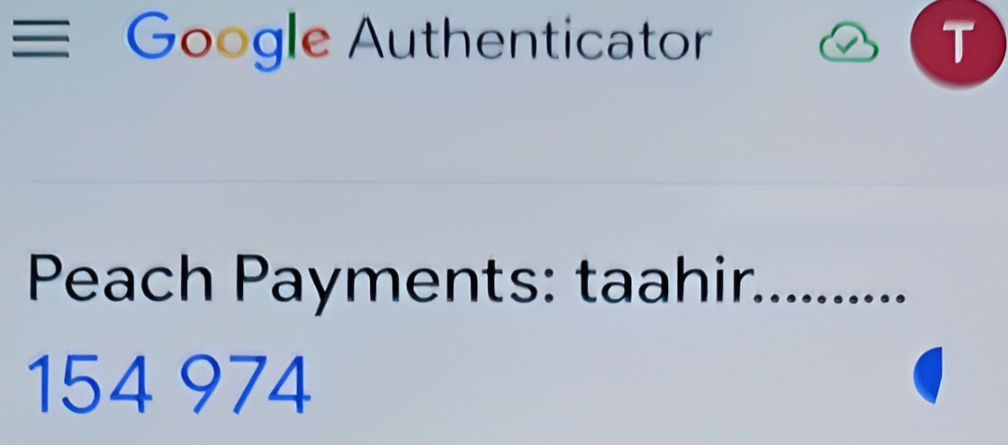
Example Google Authenticator authentication code. - In your browser, in the Verify Your Identity window, enter the authentication code.
- Select Remember this device for 30 days if you don't want the Dashboard to ask for an authentication code for the next 30 days.
- Click Continue.
- On your phone, open your authenticator app and note the 6-digit authentication code for Peach Payments.
Warning
Log in using a password
When you first gain access to the Dashboard, the email contains a link to either log in using a magic link, or to complete your account by setting a password. Use the password that you set there for all future logins, unless you reset it. If you can't find the initial email, you can set your first password using the reset your password functionality.
To access the Dashboard:
- Visit https://dashboard.peachpayments.com.
- Click Username & Password beneath the Submit button.
- Enter your company email address and password, and click Log in.
- When the Dashboard prompts you for two-factor authentication:
- On your phone, open your authenticator app and note the 6-digit authentication code for Peach Payments.
- In your browser, in the Verify Your Identity window, enter the authentication code.
- Select Remember this device for 30 days if you don't want the Dashboard to ask for an authentication code for the next 30 days.
- Click Continue.
- In the left sidebar, click Peach Orchestration.
- Under Peach Orchestration credentials, copy your profile ID (
pro_xxx) and publishable key (pk_snd_xxxfor sandbox,pk_prd_xxxfor live). The publishable key is safe to use in client-side code. - Under API keys, click New API key + to create a merchant API key (
snd_xxxfor sandbox,prd_xxxfor live).
Never ship your merchant API key
The merchant API key belongs on your server only. Never expose it in client-side code — a web page, a mobile app bundle, or anything else a shopper can read.
Can't find these credentials, or don't see the Peach Orchestration section? Contact support to request access.
Backend server
You need a server to create Payment Intents. Keep your secret key on the server only.
Angular setup
- Standalone components or NgModules.
HttpClientfor API calls.
Wallet prerequisites
Only relevant if you are accepting Apple Pay, Google Pay, or Samsung Pay.
Apple Pay (web only)
You can use the Peach Payments certificates, so you do not need your own merchant ID and payment processing certificate. You do still have to verify your domain:
- Download the Peach merchant domain verification file for the environment you are integrating against:
- Host that file at
{yourDomain}/.well-known/apple-developer-merchantid-domain-association.
Domain verification requirements
Do not add a .txt extension. The file must return HTTP 200 with no redirect,
and cannot sit behind a proxy, redirect, or password — Peach Payments needs
access to the well-known address to onboard the domain with Apple.
The same domain verification restrictions that Apple documents still apply. See Register and verify your domain.
Allow requests without a user-agent, or allowlist Apple's IP addresses as described in Setting up your server.
Google Pay (web only)
You can use the Peach Payments Google Pay ID.
Samsung Pay (web only)
You can use the Peach Payments Samsung Pay certificates.
Mobile apps need their own credentials
For Mobile SDK V2 wallet certificates and merchant IDs, see the Mobile SDK guides — app integrations cannot use the Peach certificates.
Load the Web SDK from the CDN with a script tag, then declare types so TypeScript knows about the global Hyper function.
No npm package yet
npm packages are not published yet — Peach Payments will publish its own. Until then, the CDN script tag is the only distribution channel.
Add the script tag
Add the loader to index.html, or to the scripts array in angular.json:
<script src="https://sdk.sandbox-next.peachpayments.com/sandbox/web/0.133.4/v1/HyperLoader.js"></script>Type definitions
Declare the global Hyper from HyperLoader.js:
// src/types/hyper.d.ts
interface Hyper {
  elements(options: ElementsOptions): any;
  confirmPayment(options: ConfirmPaymentOptions): Promise<PaymentResult>;
  confirmSetup(options: ConfirmSetupOptions): Promise<SetupResult>;
}

declare function Hyper(
  publishableKey: string,
  options?: { customBackendUrl?: string },
): Hyper;
Create a root-provided service that initialises the SDK once, and keep the publishable key and API host in your environment files.
Hyper service
// services/hyper.service.ts
import { Injectable } from '@angular/core';
import { BehaviorSubject, from, Observable } from 'rxjs';
import { environment } from '../environments/environment';

@Injectable({
  providedIn: 'root',
})
export class HyperService {
  private hyper$ = new BehaviorSubject<Hyper | null>(null);
  private isLoading$ = new BehaviorSubject<boolean>(true);

  constructor() {
    this.initializeHyper();
  }

  private async initializeHyper(): Promise<void> {
    try {
      const hyper = Hyper(environment.hyperPublishableKey, {
        customBackendUrl: environment.hyperApiUrl,
      });
      this.hyper$.next(hyper);
    } finally {
      this.isLoading$.next(false);
    }
  }

  getHyper(): Observable<Hyper | null> {
    return this.hyper$.asObservable();
  }

  getHyperSync(): Hyper | null {
    return this.hyper$.getValue();
  }

  isLoading(): Observable<boolean> {
    return this.isLoading$.asObservable();
  }
}
Environment configuration
environments/environment.ts:
export const environment = {
  production: false,
  hyperPublishableKey: 'pk_test_xxx',
  hyperApiUrl: 'https://app.sandbox-next.peachpayments.com/api',
  apiUrl: 'http://localhost:3000/api',
};environments/environment.prod.ts:
export const environment = {
  production: true,
  hyperPublishableKey: 'pk_live_xxx',
  hyperApiUrl: 'https://app.next.peachpayments.com/api',
  apiUrl: 'https://api.yoursite.com',
};
A standalone checkout component can subscribe to the Hyper service, create the Payment Intent, mount the Payment Element into a view child, and confirm the payment on submit.
Checkout component
checkout.component.ts:
import {
  Component,
  OnInit,
  OnDestroy,
  ElementRef,
  ViewChild,
} from '@angular/core';
import { CommonModule } from '@angular/common';
import { HttpClient } from '@angular/common/http';
import { HyperService } from '../services/hyper.service';
import { Subject, takeUntil } from 'rxjs';

@Component({
  selector: 'app-checkout',
  standalone: true,
  imports: [CommonModule],
  template: `
    <form (ngSubmit)="handleSubmit()">
      <div #paymentElement class="mb-4"></div>

      <div *ngIf="error" class="text-red-600 mb-4">
        {{ error }}
      </div>

      <button
        type="submit"
        [disabled]="processing || !isReady"
        class="w-full py-3 bg-blue-600 text-white rounded-lg disabled:opacity-50"
      >
        {{ processing ? 'Processing...' : 'Pay Now' }}
      </button>
    </form>
  `,
})
export class CheckoutComponent implements OnInit, OnDestroy {
  @ViewChild('paymentElement', { static: true })
  paymentElementRef!: ElementRef<HTMLDivElement>;

  private destroy$ = new Subject<void>();
  private hyper: any;
  private elements: any;
  private paymentElement: any;

  isReady = false;
  processing = false;
  error: string | null = null;

  constructor(
    private hyperService: HyperService,
    private http: HttpClient,
  ) {}

  async ngOnInit(): Promise<void> {
    // Wait for Hyper SDK
    this.hyperService
      .getHyper()
      .pipe(takeUntil(this.destroy$))
      .subscribe(async (hyper) => {
        if (!hyper) return;

        this.hyper = hyper;
        await this.initializePayment();
      });
  }

  private async initializePayment(): Promise<void> {
    // Create payment intent
    const { clientSecret } = (await this.http
      .post<{ clientSecret: string }>('/api/create-payment-intent', {
        amount: 6500,
        currency: 'zar',
      })
      .toPromise()) || { clientSecret: '' };

    // Create Elements
    this.elements = this.hyper.elements({
      clientSecret,
      appearance: { theme: 'stripe' },
    });

    // Create and mount Payment Element
    this.paymentElement = this.elements.create('payment');
    this.paymentElement.mount(this.paymentElementRef.nativeElement);

    this.paymentElement.on('change', (event: any) => {
      this.error = event.error?.message || null;
    });

    this.isReady = true;
  }

  async handleSubmit(): Promise<void> {
    if (!this.hyper || !this.elements) return;

    this.processing = true;
    this.error = null;

    const { error, paymentIntent } = await this.hyper.confirmPayment({
      elements: this.elements,
      confirmParams: {
        return_url: `${window.location.origin}/payment-complete`,
      },
      redirect: 'if_required',
    });

    if (error) {
      this.error = error.message;
      this.processing = false;
    } else if (paymentIntent?.status === 'succeeded') {
      window.location.href = '/payment-success';
    }
  }

  ngOnDestroy(): void {
    this.destroy$.next();
    this.destroy$.complete();
    this.paymentElement?.unmount();
  }
}
The Payment Element decides what to show from the Payment Intent and the options you pass when you create it. You can control display order, enable or disable methods, and render wallet buttons in a separate component.
Payment method ordering
The first entry in paymentMethodOrder has the highest priority:
private initializePaymentElement(): void {
  this.paymentElement = this.elements.create('payment', {
    // Display order (first = highest priority)
    paymentMethodOrder: [
      'card',
      'apple_pay',
      'google_pay',
      'samsung_pay',
      'payjustnow',
    ],
    layout: 'tabs',
  });
  this.paymentElement.mount(this.paymentElementRef.nativeElement);
}
Enabling and disabling methods
Control the available methods from the server when you create the Payment Intent:
// payment.service.ts - Server-side control
@Injectable({ providedIn: 'root' })
export class PaymentService {
  constructor(private http: HttpClient) {}

  createPaymentIntent(
    amount: number,
    enabledMethods: string[] = ['card'],
  ): Observable<{ clientSecret: string }> {
    return this.http.post<{ clientSecret: string }>(
      '/api/create-payment-intent',
      {
        amount,
        currency: 'zar',
        payment_method_types: enabledMethods,
      },
    );
  }
}
Usage with conditional methods:
const methods = ['card'];
if (this.cart.total >= 50000) {
  methods.push('payjustnow');
}
this.paymentService.createPaymentIntent(this.cart.total, methods);
Wallets can also be controlled client-side:
this.paymentElement = this.elements.create('payment', {
  wallets: {
    applePay: 'auto', // 'auto' | 'never' | 'always'
    googlePay: 'never', // Disable Google Pay
  },
});
All Payment Element options
interface PaymentElementOptions {
  // Layout
  layout: 'tabs' | {
    type: 'accordion' | 'tabs';
    defaultCollapsed?: boolean;
    radios?: boolean;
    spacedAccordionItems?: boolean;
    maxAccordionItems?: number;
  };

  // Method ordering
  paymentMethodOrder?: string[];

  // Wallet configuration
  wallets?: {
    applePay?: 'auto' | 'never' | 'always';
    googlePay?: 'auto' | 'never' | 'always';
  };

  // Saved payment methods
  displaySavedPaymentMethods?: boolean;
  displaySavedPaymentMethodsCheckbox?: boolean;

  // Field configuration
  fields?: {
    billingDetails?: {
      name?: 'auto' | 'never';
      email?: 'auto' | 'never';
      phone?: 'auto' | 'never';
      address?: 'auto' | 'never' | { ... };
    };
  };

  // Terms display
  terms?: {
    card?: 'auto' | 'always' | 'never';
    // ... per payment method
  };

  // Read-only mode
  readOnly?: boolean;

  // Render non-card redirects inline, in an embedded iframe, instead of
  // the full-screen overlay popout. Pair with sdkHandleConfirmPayment.
  inline_iframe_redirection_enabled?: boolean;

  // Return URL for confirms the SDK handles from inside the element
  // (required when inline_iframe_redirection_enabled is on).
  sdkHandleConfirmPayment?: {
    confirmParams: { return_url: string };
  };
}
Inline iframe redirection
Non-card redirects render inside your checkout form instead of the full-screen popout.
Cards always pop out
Cards (3DS) and express or one-click flows always pop out regardless of this flag — 3DS and ACS pages generally refuse to be framed.
const options: PaymentElementOptions = {
  // ...your existing options (layout, paymentMethodOrder, wallets, ...)
  inline_iframe_redirection_enabled: true,
  sdkHandleConfirmPayment: {
    confirmParams: { return_url: 'https://your-site.com/checkout/complete' },
  },
};
const paymentElement = elements.create('payment', options);
Prerequisites
- This only takes effect when the connector returns a
redirect_inside_popupnext action, which requiresis_iframe_redirection_enabledon the Peach connector or merchant. Without that backend flag the option does nothing. - Your redirect targets must allow framing.
X-Frame-Options: DENYor a restrictiveframe-ancestorsrenders blank inside the iframe. Only enable it for alternative payment method pages you control or have verified.
Completion is detected by polling the payment intent (the embedded page advances it server-side), so it works cross-origin. There is a 15-minute backstop, and it settles cleanly if the shopper abandons the flow.
Wallet buttons component
@Component({
  selector: 'app-wallet-buttons',
  standalone: true,
  imports: [CommonModule],
  template: ` <div *ngIf="canPay" #walletButton class="mb-4"></div> `,
})
export class WalletButtonsComponent implements OnInit {
  @ViewChild('walletButton', { static: false })
  walletButtonRef!: ElementRef<HTMLDivElement>;

  canPay = false;
  walletType: 'apple' | 'google' | null = null;

  constructor(private hyperService: HyperService) {}

  async ngOnInit(): Promise<void> {
    const hyper = this.hyperService.getHyperSync();
    if (!hyper) return;

    const paymentRequest = hyper.paymentRequest({
      country: 'ZA',
      currency: 'zar',
      total: { label: 'Your Store', amount: 6500 },
      requestPayerName: true,
      requestPayerEmail: true,
    });

    const result = await paymentRequest.canMakePayment();

    if (result?.applePay) {
      this.walletType = 'apple';
      this.canPay = true;
    } else if (result?.googlePay) {
      this.walletType = 'google';
      this.canPay = true;
    }

    if (this.canPay) {
      setTimeout(() => {
        const elements = hyper.elements();
        const prButton = elements.create('paymentRequestButton', {
          paymentRequest,
          style: { paymentRequestButton: { height: '48px' } },
        });
        prButton.mount(this.walletButtonRef.nativeElement);
      });
    }
  }
}
Pass a customer session client secret alongside the Payment Intent client secret and the Payment Element shows the customer's saved cards. A separate Setup Intent saves a card without taking a payment.
Saved cards checkout component
saved-cards-checkout.component.ts:
@Component({
  selector: 'app-saved-cards-checkout',
  standalone: true,
  imports: [CommonModule],
  template: `
    <div *ngIf="loading">Loading saved cards...</div>
    <form *ngIf="!loading" (ngSubmit)="handleSubmit()">
      <div #paymentElement class="mb-4"></div>
      <button type="submit" [disabled]="processing">
        {{ processing ? 'Processing...' : 'Pay Now' }}
      </button>
    </form>
  `,
})
export class SavedCardsCheckoutComponent implements OnInit {
  @ViewChild('paymentElement', { static: false })
  paymentElementRef!: ElementRef<HTMLDivElement>;

  loading = true;
  processing = false;
  private hyper: any;
  private elements: any;

  constructor(
    private hyperService: HyperService,
    private http: HttpClient,
  ) {}

  async ngOnInit(): Promise<void> {
    this.hyper = this.hyperService.getHyperSync();

    // Fetch checkout session with customer data
    const data = await this.http
      .post<{
        clientSecret: string;
        customerSessionClientSecret?: string;
      }>('/api/checkout-session', { customerId: 'cus_xxx' })
      .toPromise();

    // Initialise with customer session for saved cards
    this.elements = this.hyper.elements({
      clientSecret: data!.clientSecret,
      customerSessionClientSecret: data!.customerSessionClientSecret,
    });

    this.loading = false;

    // Mount after view updates
    setTimeout(() => {
      const paymentElement = this.elements.create('payment');
      paymentElement.mount(this.paymentElementRef.nativeElement);
    });
  }

  async handleSubmit(): Promise<void> {
    // ... same as basic integration
  }
}
Setup Intent service
setup-intent.service.ts:
@Injectable({ providedIn: 'root' })
export class SetupIntentService {
  constructor(
    private hyperService: HyperService,
    private http: HttpClient,
  ) {}

  async saveCard(customerId: string): Promise<void> {
    const hyper = this.hyperService.getHyperSync();

    const { clientSecret } = (await this.http
      .post<{ clientSecret: string }>('/api/create-setup-intent', {
        customerId,
      })
      .toPromise()) || { clientSecret: '' };

    const elements = hyper!.elements({ clientSecret });
    // ... mount and confirm
  }
}
Put error mapping in an injectable service so every component shows the same wording, then branch on the Payment Intent status after a confirm.
Error handler service
error-handler.service.ts:
@Injectable({ providedIn: 'root' })
export class PaymentErrorHandler {
  private cardErrorMessages: Record<string, string> = {
    card_declined: 'Your card was declined.',
    expired_card: 'Your card has expired.',
    incorrect_cvc: 'Incorrect security code.',
    insufficient_funds: 'Insufficient funds.',
    processing_error: 'Processing error. Try again.',
  };

  handleError(error: any): string {
    if (error.type === 'card_error') {
      return this.cardErrorMessages[error.code] || error.message;
    }

    if (error.type === 'validation_error') {
      return 'Please check your payment details.';
    }

    return error.message || 'An error occurred.';
  }
}
Checkout with error handling
checkout.component.ts:
export class CheckoutComponent {
  error: string | null = null;

  constructor(
    private hyperService: HyperService,
    private errorHandler: PaymentErrorHandler,
  ) {}

  async handleSubmit(): Promise<void> {
    this.processing = true;
    this.error = null;

    try {
      const { error, paymentIntent } = await this.hyper.confirmPayment({
        elements: this.elements,
        confirmParams: {
          return_url: `${window.location.origin}/complete`,
        },
        redirect: 'if_required',
      });

      if (error) {
        this.error = this.errorHandler.handleError(error);
      } else if (paymentIntent) {
        this.handlePaymentIntent(paymentIntent);
      }
    } catch (e: any) {
      this.error = 'An unexpected error occurred.';
      console.error(e);
    } finally {
      this.processing = false;
    }
  }

  private handlePaymentIntent(paymentIntent: any): void {
    switch (paymentIntent.status) {
      case 'succeeded':
        this.router.navigate(['/success']);
        break;
      case 'processing':
        this.error = 'Payment is processing...';
        break;
      case 'requires_payment_method':
        this.error = 'Payment failed. Try another method.';
        break;
    }
  }
}
Keep your light and dark appearance objects in a theme service, then pass the current one when you create Elements.
Theme service
theme.service.ts:
import { Injectable, signal } from '@angular/core';

@Injectable({ providedIn: 'root' })
export class ThemeService {
  isDark = signal(window.matchMedia('(prefers-color-scheme: dark)').matches);

  constructor() {
    window
      .matchMedia('(prefers-color-scheme: dark)')
      .addEventListener('change', (e) => {
        this.isDark.set(e.matches);
      });
  }

  getAppearance(): Appearance {
    return this.isDark() ? this.darkAppearance : this.lightAppearance;
  }

  private lightAppearance: Appearance = {
    theme: 'stripe',
    variables: {
      colorPrimary: '#0066FF',
      colorBackground: '#ffffff',
      colorText: '#1a1a1a',
      fontFamily: 'Inter, system-ui, sans-serif',
      borderRadius: '8px',
    },
    rules: {
      '.Input': {
        border: '1px solid #e5e7eb',
        padding: '12px',
      },
      '.Input:focus': {
        borderColor: '#0066FF',
        boxShadow: '0 0 0 2px rgba(0, 102, 255, 0.2)',
      },
    },
  };

  private darkAppearance: Appearance = {
    theme: 'night',
    variables: {
      colorPrimary: '#4da3ff',
      colorBackground: '#1a1a1a',
      colorText: '#ffffff',
      fontFamily: 'Inter, system-ui, sans-serif',
      borderRadius: '8px',
    },
  };
}
Using the theme in a component
export class CheckoutComponent implements OnInit {
  constructor(
    private themeService: ThemeService,
    private hyperService: HyperService,
  ) {}

  async initializePayment(): Promise<void> {
    this.elements = this.hyper.elements({
      clientSecret,
      appearance: this.themeService.getAppearance(),
    });

    this.paymentElement = this.elements.create('payment', {
      layout: {
        type: 'accordion',
        defaultCollapsed: false,
        radios: true,
      },
    });
  }
}
Use the sandbox test cards to exercise each outcome, mock the Hyper service in unit tests, and drive the real Element from an end-to-end test.
Test cards
| Scenario | Card number |
|---|---|
| Success | 4242 4242 4242 4242 |
| 3DS | 4000 0025 0000 3155 |
| Declined | 4000 0000 0000 0002 |
Unit tests
checkout.component.spec.ts:
import { ComponentFixture, TestBed } from '@angular/core/testing';
import { HttpClientTestingModule } from '@angular/common/http/testing';
import { CheckoutComponent } from './checkout.component';
import { HyperService } from '../services/hyper.service';
import { of } from 'rxjs';

describe('CheckoutComponent', () => {
  let component: CheckoutComponent;
  let fixture: ComponentFixture<CheckoutComponent>;
  let hyperServiceSpy: jasmine.SpyObj<HyperService>;

  const mockHyper = {
    elements: jasmine.createSpy().and.returnValue({
      create: jasmine.createSpy().and.returnValue({
        mount: jasmine.createSpy(),
        unmount: jasmine.createSpy(),
        on: jasmine.createSpy(),
      }),
    }),
    confirmPayment: jasmine.createSpy(),
  };

  beforeEach(async () => {
    hyperServiceSpy = jasmine.createSpyObj('HyperService', [
      'getHyper',
      'getHyperSync',
    ]);
    hyperServiceSpy.getHyper.and.returnValue(of(mockHyper));
    hyperServiceSpy.getHyperSync.and.returnValue(mockHyper);

    await TestBed.configureTestingModule({
      imports: [CheckoutComponent, HttpClientTestingModule],
      providers: [{ provide: HyperService, useValue: hyperServiceSpy }],
    }).compileComponents();

    fixture = TestBed.createComponent(CheckoutComponent);
    component = fixture.componentInstance;
  });

  it('should create', () => {
    expect(component).toBeTruthy();
  });

  it('should show error on payment failure', async () => {
    mockHyper.confirmPayment.and.returnValue(
      Promise.resolve({
        error: { message: 'Card declined' },
      }),
    );

    await component.handleSubmit();

    expect(component.error).toBe('Card declined');
  });
});
End-to-end with Playwright
e2e/checkout.spec.ts:
import { test, expect } from '@playwright/test';

test('checkout flow', async ({ page }) => {
  await page.goto('/checkout');

  const frame = page.frameLocator('iframe[name^="__privateHyper"]');
  await frame.locator('[name="cardnumber"]').fill('4242424242424242');
  await frame.locator('[name="exp-date"]').fill('1234');
  await frame.locator('[name="cvc"]').fill('123');

  await page.click('button[type="submit"]');
  await expect(page).toHaveURL(/\/success/);
});
Most Angular-specific problems come down to view child timing, change detection, or server-side rendering.
ViewChild not available
Use static: false and check the reference in ngAfterViewInit:
@ViewChild('paymentElement', { static: false })
paymentElementRef?: ElementRef<HTMLDivElement>;

ngAfterViewInit(): void {
  if (this.paymentElementRef) {
    this.mountPaymentElement();
  }
}
Zone.js issues
Run SDK calls inside NgZone:
constructor(private ngZone: NgZone) {}

async handleSubmit(): Promise<void> {
  const result = await this.hyper.confirmPayment({...});

  this.ngZone.run(() => {
    // Update component state here
    this.processing = false;
    this.error = result.error?.message || null;
  });
}
Memory leaks
Always clean up subscriptions and elements:
export class CheckoutComponent implements OnDestroy {
  private destroy$ = new Subject<void>();

  ngOnDestroy(): void {
    this.destroy$.next();
    this.destroy$.complete();
    this.paymentElement?.unmount();
  }
}
Change detection not updating
Use ChangeDetectorRef:
constructor(private cdr: ChangeDetectorRef) {}

async handleSubmit(): Promise<void> {
  // ... async operations
  this.error = error.message;
  this.cdr.detectChanges(); // Force update
}
SSR with Angular Universal
Skip SDK initialisation on the server:
import { isPlatformBrowser } from '@angular/common';
import { PLATFORM_ID, Inject } from '@angular/core';

constructor(@Inject(PLATFORM_ID) private platformId: object) {}

ngOnInit(): void {
  if (isPlatformBrowser(this.platformId)) {
    this.initializeHyper();
  }
}
Getting help
Contact support for help.